




























Creating an optimal gaming setup in 2026 is about more than just raw power; it’s about balancing performance, comfort, and budget to build an immersive experience. Whether you’re aiming for esports glory or just want to enjoy the latest AAA titles, understanding the core components and best practices is crucial.
Last updated: May 1, 2026
- A balanced gaming setup in 2026 requires careful consideration of your PC’s core components, monitor, peripherals, and ergonomic factors.
- Budget-friendly setups are achievable by prioritizing essential parts and looking for value in brands and previous-generation hardware.
- Ergonomics are vital for long gaming sessions, focusing on monitor height, chair comfort, and desk space to prevent strain.
- Future-proofing involves choosing components with upgrade paths and ensuring compatibility with upcoming technologies.
Choosing Your Gaming PC Components
The heart of any gaming setup is the PC. As of May 2026, the key components to focus on are the CPU, GPU, RAM, and storage. For high-end gaming, a modern CPU like an Intel Core i7/i9 or AMD Ryzen 7/9 offers excellent performance.
Graphics cards (GPUs) are paramount. NVIDIA’s RTX 40-series or AMD’s RX 7000-series are top contenders, but consider previous generations like the RTX 30-series or RX 6000-series for significant savings without sacrificing too much performance. For instance, an NVIDIA GeForce RTX 3070 can still handle most games at 1440p resolution smoothly.
RAM needs are also evolving. 16GB is the minimum for modern gaming, but 32GB is increasingly becoming the sweet spot for demanding titles and multitasking. Fast NVMe SSDs are non-negotiable for quick load times; aim for at least 1TB.
Example: A mid-range build might feature an AMD Ryzen 5 7600X CPU, an NVIDIA GeForce RTX 4070 GPU, 16GB of DDR5 RAM, and a 1TB Crucial P3 Plus NVMe SSD. This combination offers strong 1440p gaming performance.
Insight: Don’t overlook the motherboard’s role. Choose one compatible with your CPU and RAM, offering sufficient connectivity and potential for future upgrades (e.g., Wi-Fi 6E support).
Selecting the Right Gaming Monitor
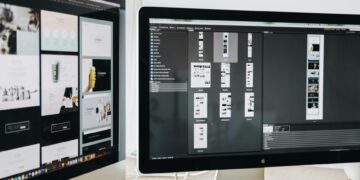
Your monitor is your window into the game. For a responsive gaming setup, refresh rate and response time are critical. As of 2026, 144Hz is standard for competitive play, with 240Hz and even 360Hz monitors available for esports enthusiasts.
Resolution matters too. 1080p is budget-friendly, 1440p (QHD) offers a great balance of visual fidelity and performance, and 4K provides stunning detail at a higher performance cost. Consider the capabilities of your GPU when choosing a resolution.
Panel type (IPS, VA, TN) influences color accuracy, viewing angles, and response times. IPS panels generally offer the best color reproduction and viewing angles, making them a popular choice for a versatile gaming setup. TN panels are fastest but have weaker colors.
Example: A 27-inch 1440p monitor with a 165Hz refresh rate and 1ms response time, like the Dell S2721DGF, provides an excellent visual experience for most gamers.
Insight: Look for adaptive sync technologies like NVIDIA G-Sync or AMD Free Sync. These synchronize your monitor’s refresh rate with your GPU’s frame rate, eliminating screen tearing and stuttering for smoother gameplay.
Essential Gaming Peripherals: Keyboard, Mouse, and Headset
Peripherals are your direct interface with the game. For keyboards, mechanical switches offer superior tactile feedback and durability. Popular switch types include Cherry MX (Red for linear, Blue for clicky, Brown for tactile) or similar alternatives from brands like Gateron or Kailh.
Gaming mice vary by grip style (palm, claw, fingertip) and sensor precision. Look for mice with adjustable DPI (dots per inch) settings and comfortable ergonomics. Many esports professionals favor lightweight, high-DPI mice from brands like Logitech or Razer.
A good gaming headset is crucial for immersive audio and clear communication. Look for comfortable ear cups, a good microphone, and either wired or wireless connectivity. Virtual surround sound can enhance your situational awareness in games.
Example: A solid peripheral set could include the Logitech G Pro X mechanical keyboard, a Razer Death Adder V3 Pro wireless mouse, and the Hyper Cloud II wireless headset.
Insight: Don’t underestimate the value of a good mouse pad. A large, high-quality mouse pad provides consistent tracking and ample space for rapid mouse movements, especially in fast-paced games.
Ergonomics: The Unsung Hero of Your Gaming Setup
Long gaming sessions demand attention to ergonomics. An uncomfortable setup can lead to fatigue, pain, and reduced performance. Prioritize a supportive gaming chair that offers adjustable lumbar support and armrests.
Monitor placement is key. The top of your monitor should be at or slightly below eye level, about an arm’s length away. This posture prevents neck strain. Consider a monitor arm for easier adjustment and more desk space.
Your desk should be at a height that allows your elbows to rest at roughly a 90-degree angle when typing or using your mouse. Ensure sufficient legroom beneath the desk.
Example: Using a Herman Miller Embody chair (or a comparable ergonomic office chair) paired with a standing desk that can be adjusted throughout the day helps maintain good posture and circulation.
Insight: Take regular breaks. The 20-20-20 rule (every 20 minutes, look at something 20 feet away for 20 seconds) can help reduce eye strain. Stand up and stretch every hour.
Setting Up Your Gaming Rig on a Budget
You don’t need to spend a fortune to build an effective gaming setup. The key is smart component selection and prioritizing. As of May 2026, many excellent budget-friendly options exist.
Focus on a balanced build rather than overspending on one component. A mid-tier CPU paired with a strong mid-range GPU often yields better overall gaming performance than a top-tier CPU with a weak GPU.
Consider buying previous-generation hardware. GPUs and CPUs from a few years ago can offer significant performance per dollar. Similarly, buying RAM and SSDs during sales events can save considerable money.
Example: A gaming setup under $1000 in 2026 could feature an AMD Ryzen 5 5600 CPU, an NVIDIA GeForce RTX 3060 GPU, 16GB of DDR4 RAM, a 1TB SATA SSD, and a 1080p 144Hz monitor from a reputable brand like AOC or Acer.
Insight: Building your PC yourself is one of the biggest cost-savers. The process is more accessible than ever, with numerous online guides and tutorials available. This also gives you a deeper understanding of your hardware.
Cable Management and Aesthetics
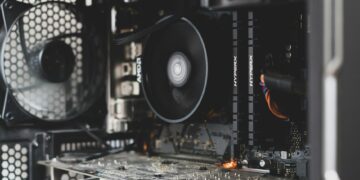
A clean setup not only looks better but can also improve airflow and reduce clutter. Effective cable management is key to achieving this. Use zip ties, Velcro straps, or cable sleeves to bundle wires together.
Mounting your monitor on an arm frees up desk space and allows for better positioning. Consider a desk with built-in cable management solutions, such as grommets or trays. For wireless peripherals, ensure charging solutions are tidy.
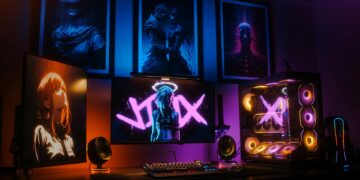
RGB lighting is popular but can add cost. If you opt for it, ensure it’s integrated thoughtfully rather than being an overwhelming distraction. Many components now offer customizable RGB lighting that can be controlled via software.
Example: Running all PC cables through a single sleeve down the back of the desk and using a monitor arm with integrated cable routing can create a remarkably clean aesthetic.
Insight: Think about the overall color scheme and theme. Consistency in color, from your PC components to your peripherals and desk accessories, can make a significant difference in the setup’s visual appeal.
Future-Proofing Your Gaming Setup
While true future-proofing is impossible, you can make smart choices to extend the lifespan and upgradeability of your gaming setup. Choosing components with current-generation standards is a good start.
For PCs, select a motherboard with support for the latest CPU sockets and RAM types (e.g., DDR5). Ensure your power supply unit (PSU) has enough wattage and connectors to handle future GPU upgrades. A good PSU can last through multiple PC builds.
Consider modular PSUs, which allow you to connect only the cables you need, simplifying cable management and improving airflow. According to PC Gamer (2024), investing in a slightly overpowered PSU can offer headroom for future, more power-hungry GPUs.
Example: Opting for a motherboard with PCIe 5.0 support, even if you use a PCIe 4.0 GPU now, ensures compatibility with future graphics cards and high-speed SSDs.
Insight: Think about upgrade paths for your peripherals too. A high-quality, durable keyboard or mouse from a reputable brand will likely last for many years and can be integrated into future PC builds.
Common Mistakes When Setting Up Your Gaming Station
Many gamers make common errors that detract from their experience. One of the most frequent is neglecting ergonomics, leading to discomfort and potential long-term physical issues. Investing in an ergonomic chair and proper monitor placement is non-negotiable.
Another mistake is overspending on components that offer diminishing returns. For example, a CPU that’s far more powerful than the GPU it’s paired with will bottleneck performance, wasting money. Balance is key.
Poor cable management can hinder airflow and make troubleshooting difficult. Messy cables not only look bad but can also trap heat, potentially affecting component longevity. Take the time to organize them.
Solution: For ergonomics, invest in a good chair and monitor stand. For balance, research CPU/GPU pairing benchmarks. For cables, use inexpensive cable ties or sleeves. A clean setup is a happy setup.
Insight: Failing to plan for future upgrades is also a common pitfall. Buying a motherboard with limited RAM slots or an insufficient PSU can force a costly replacement sooner than expected.
Tips for an Optimal Gaming Setup in 2026
To truly elevate your gaming experience, consider these advanced tips. First, think about audio beyond just a headset. A good pair of studio monitors or a dedicated sound system can offer a richer, more immersive experience for single-player games.
Second, explore secondary displays. A smaller, vertically oriented monitor can be incredibly useful for displaying chat, system monitoring tools, or guides without cluttering your primary gaming screen. This is common in many professional esports setups.
Third, invest in a quality desk mat that covers a significant portion of your desk. This provides a uniform surface for your keyboard and mouse, looks professional, and protects your desk surface. Brands like Desk mat offer a wide variety of designs.
Expert Insight: According to research from the University of Southern California (2023), the psychological impact of a well-organized and aesthetically pleasing workspace can positively affect player focus and enjoyment. A personalized setup can increase immersion.
Unique Insight: Consider ambient lighting that complements your screen. Bias lighting (a soft light source behind your monitor) can reduce eye strain by decreasing the contrast between the bright screen and a dark room. Smart LED strips can synchronize with on-screen action for added immersion.
Frequently Asked Questions
What is the most important component for a gaming setup?
The most crucial component is often the graphics card (GPU), as it directly impacts visual fidelity and frame rates in games. However, a balanced system requires a capable CPU, sufficient RAM, and fast storage to avoid bottlenecks.
How much should I budget for a gaming setup in 2026?
A solid entry-level gaming setup can be built for around $800-$1200, offering good 1080p performance. For high-end 1440p or 4K gaming, expect to spend $1500-$2500 or more, depending on component choices and peripherals.
Can I use my office chair for gaming?
While some office chairs offer excellent ergonomics, many standard office chairs lack the support needed for long gaming sessions. Investing in a dedicated ergonomic gaming chair or a high-quality ergonomic office chair is recommended for comfort and health.
How important is monitor refresh rate for gaming?
Monitor refresh rate is very important, especially for fast-paced games. A higher refresh rate (e.g., 144Hz or more) provides smoother motion and can improve reaction times, giving you a competitive edge over players with lower refresh rates.
What are the essential peripherals for a gaming setup?
Essential peripherals include a responsive gaming mouse, a comfortable keyboard (mechanical switches are popular), and a good headset for clear audio and communication. A large mouse pad also significantly enhances mouse control.
How do I set up a gaming desk for ergonomics?
Ensure your desk is at a height allowing your forearms to be parallel to the floor with elbows at 90 degrees. Position your monitor at eye level, about an arm’s length away. Use a supportive chair with good lumbar support.
Conclusion
Building a high-performance gaming setup in 2026 involves a strategic approach to component selection, monitor choice, peripherals, and ergonomics, all while keeping your budget in mind. By prioritizing balance, considering future upgrades, and focusing on comfort, you can create an immersive and enjoyable gaming environment.
Actionable Takeaway: Before purchasing any components, create a detailed list of the games you play most and their system requirements, then build your PC and peripherals around those needs and your budget.