





























Ready to Dive In? Gaming for Beginners in 2026
The world of video games is vast and exciting, offering experiences from epic adventures to strategic challenges. If you’re curious about gaming, but feel overwhelmed by the options, this guide is for you. As of May 2026, the world of gaming has never been more diverse, with accessible entry points for everyone.
Last updated: May 1, 2026
- Choose between consoles (PlayStation, Xbox, Nintendo) and PC based on your budget and desired experience.
- Essential peripherals include a reliable controller or mouse/keyboard, and comfortable headphones.
- Start with genres like puzzle, adventure, or simulation games, which often have intuitive controls and clear objectives.
- Understand digital storefronts like Steam, PlayStation Store, or Xbox Games Store for game purchases and downloads.
- Prioritize comfort and ergonomics for long gaming sessions to avoid strain.
What’s Your Gaming Platform? Console vs. PC
Deciding where to play is the first major step for any new gamer. Both consoles and PCs offer unique advantages.
Consoles, such as the PlayStation 5, Xbox Series X/S, and Nintendo Switch, are designed for plug-and-play simplicity. They typically offer a more curated, user-friendly experience, often focusing on controller-based gameplay. The PlayStation 5, for instance, is known for its powerful performance and exclusive titles, while the Nintendo Switch offers unparalleled versatility with its hybrid handheld/home console design.
Example: For a casual player who wants to jump into popular games like ‘Marvel’s Spider-Man 2’ or ‘The Legend of Zelda: Tears of the Kingdom’ with minimal setup, a console is often the easiest route.
Insight: Consoles often have a lower upfront cost than a high-end gaming PC, making them very attractive for beginners. Prices for the PS5 and Xbox Series X hover around $499 USD, while the Switch is typically found for $299 USD, though availability and bundle deals can vary.
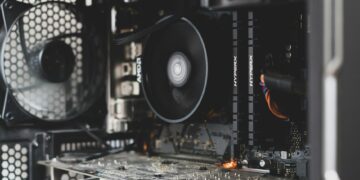
PC gaming offers unparalleled flexibility, graphical fidelity, and access to a massive library of games, including many indie titles not available elsewhere. A gaming PC allows for upgrades, multitasking, and diverse input methods (keyboard and mouse, controllers). However, the initial investment can be higher, and troubleshooting occasional technical issues is part of the experience.
Example: A player interested in deep strategy games like ‘Civilization VI’ or competitive shooters like ‘Valorant’ might prefer PC gaming for its precision controls and wider game selection.
Insight: As of 2026, a capable entry-level gaming PC can be built or purchased for around $800-$1200 USD, offering a good balance of performance and affordability. Check current component prices, as they can fluctuate.
Essential Gaming Peripherals: Beyond the Console or PC
Once your platform is chosen, you’ll need some key accessories to enhance your gaming experience.
Controllers: If you’re on a console, a controller is included. For PC, you can connect console controllers (like an Xbox Wireless Controller) or use a dedicated PC game pad. Many players prefer the tactile feedback and ergonomic design of a good controller for a wide range of games.
Keyboard and Mouse: Essential for PC gaming, especially for genres like real-time strategy (RTS) and first-person shooters (FPS). A responsive mechanical keyboard and a precise gaming mouse can significantly improve your performance and immersion. Brands like Logitech and Razer offer popular gaming peripherals.
Headsets: A quality gaming headset is crucial for both immersive audio and effective communication in multiplayer games. Look for comfort, good sound quality, and a clear microphone. Steel Series and Hyper are well-regarded brands for gaming headsets.
Example: A beginner gamer might start with the standard controller for their console and a basic USB headset for PC, upgrading as they become more invested.
Insight: Don’t underestimate the impact of comfortable peripherals. Investing in a good headset and a comfortable mouse/keyboard can prevent fatigue and improve your enjoyment during longer play sessions. A decent wired gaming headset can be found for $50-$100 USD.
Choosing Your First Video Game: Finding Your Genre
The sheer number of games can be daunting. Starting with the right genre can make a huge difference.
Puzzle Games: These games often require logic and problem-solving skills. They are typically single-player, have clear objectives, and don’t demand fast reflexes. Examples include ‘Portal 2’ or mobile hits like ‘Candy Crush Saga’.
Adventure Games: Story-driven experiences where players explore environments, solve puzzles, and interact with characters. They offer a narrative focus and a less intense gameplay loop. ‘Star dew Valley,’ a farming simulation with strong adventure elements, is a fantastic starting point.
Simulation Games: These games aim to replicate real-world activities, from managing a city (‘Cities: Skylines’) to flying an aircraft (‘Microsoft Flight Simulator’). They often appeal to players who enjoy detailed systems and strategic planning.
Role-Playing Games (RPGs): While some RPGs can be complex, many offer a rich narrative and character progression that new players find rewarding. Games like ‘The Witcher 3: Wild Hunt’ (though extensive) are critically acclaimed for their stories, but simpler RPGs exist as well.
Example: A player looking for a relaxing, engaging experience might try ‘Animal Crossing: New Horizons’ on the Nintendo Switch, which focuses on customization, collection, and social interaction in a charming virtual world.
Insight: Many digital storefronts offer free-to-play games or demos. This is an excellent way for beginners to sample different genres and find what resonates without financial commitment. For instance, ‘Genshin Impact’ is a popular free-to-play action RPG with broad appeal.
Navigating Digital Stores and Downloading Games
Physical game discs are becoming less common, with digital downloads dominating the market.
Console Stores: Each console has its own digital marketplace: the PlayStation Store, Xbox Games Store, and Nintendo eShop. You’ll need to create an account, link a payment method, and browse or search for games. Games can be purchased directly and will begin downloading to your console’s storage.
PC Stores: The dominant platform for PC digital games is Steam, a platform developed by Valve Corporation. Other popular PC storefronts include the Epic Games Store and GOG. These platforms allow you to purchase games, manage your library, and download them to your computer.
Example: To get ‘Cyberpunk 2077’ on PC, you’d create a Steam account, add the game to your cart, purchase it using a credit card or PayPal, and then initiate the download and installation from your library.
Insight: Keep an eye on digital sales! Steam, PlayStation Store, and Xbox Games Store frequently have massive discounts, especially during holiday seasons. You can often find great games for 50% off or more. According to industry watchers, these sales are a key driver for new game purchases in 2026.
The World of Online Gaming and Communities
Many modern games offer multiplayer experiences, connecting players worldwide.
Multiplayer Basics: Online gaming requires a stable internet connection and, for consoles, often a subscription service (PlayStation Plus, Xbox Game Pass Core/Ultimate). PC gaming generally doesn’t require a separate subscription for most online multiplayer games, though some MMOs do have their own fees.
Finding Games: Popular multiplayer games span many genres, from team-based shooters like ‘Call of Duty’ and ‘Apex Legends’ to collaborative adventures like ‘World of Warcraft’ or ‘Final Fantasy XIV’.
Community Etiquette: Online communities can be welcoming or toxic. Many games have strong moderation, but practicing good etiquette—being respectful, communicating clearly (if at all), and avoiding cheating—enhances everyone’s experience. Resources like the Internet Watch Foundation provide guidance on online safety.
Example: Joining a guild or clan in an MMO like ‘Elder Scrolls Online’ can provide a built-in social network and a group for tackling challenging content together.
Insight: If you’re shy about jumping into competitive multiplayer, try cooperative (co-op) games first. These games focus on players working together against AI or in shared environments, offering a less stressful way to experience online play.
Common Beginner Gaming Mistakes and How to Avoid Them
Even experienced gamers make mistakes, but some are more common for newcomers.
Buying too many games at once: It’s tempting to grab every game that looks interesting, especially during sales. However, this can lead to an overwhelming backlog. Solution: Start with one or two games you’re genuinely excited about and finish them before buying more.
Ignoring game tutorials: Many games include extensive tutorial sections designed to teach you mechanics. Skipping these can lead to frustration and confusion. Solution: Pay attention to tutorial prompts and complete them thoroughly, even if they seem basic.
Playing with poor ergonomics: Slouching, sitting too close to the screen, or using awkward hand positions can lead to discomfort and long-term strain. Solution: Invest in an ergonomic chair, ensure proper screen height, and take regular breaks. According to ergonomic specialists, breaks every 30–60 minutes are recommended.
Not checking system requirements (PC): Buying a PC game without verifying if your hardware can run it smoothly is a common pitfall. Solution: Always check the minimum and recommended system requirements on the game’s store page before purchasing.
Insight: The biggest mistake is letting the initial learning curve discourage you. Every gamer started somewhere. View challenges as learning opportunities, not failures.
Expert Tips for Your Gaming Journey
Here are some advanced insights to smooth your transition into gaming.
Experiment with Accessibility Options: Modern games often include a strong suite of accessibility features—adjustable difficulty, subtitle options, colorblind modes, recappable controls. Don’t hesitate to explore these to tailor the game to your needs. The International Game Developers Association (IGDA) advocates for wider accessibility in game design.
Join Gaming Communities Online (Wisely): Beyond playing, communities on platforms like Reddit (e.g., r/gaming, r/pc gaming) or Discord servers can offer game tips, hardware advice, and friendship. However, be discerning; not all online spaces are positive. Look for communities with clear rules and active moderation.
Understand Game Updates and Patches: Games are rarely “finished” upon release. Developers frequently release patches to fix bugs, improve performance, and sometimes add new content. Be aware that updates can sometimes change gameplay or introduce new issues.
Consider a Game Subscription Service: Services like Xbox Game Pass offer access to a large library of games for a monthly fee. This is an economical way for beginners to try many different titles without buying them individually. As of May 2026, Xbox Game Pass Ultimate typically costs around $16.99 USD per month and includes hundreds of titles.
Unique Insight: Many players find success by watching gameplay videos on platforms like YouTube or Twitch before buying a game. This allows you to see the game in action, understand its pacing, and get a feel for its core mechanics without investing money or time upfront. It’s like a visual demo that goes much deeper than a traditional trailer.
Frequently Asked Questions
Is gaming expensive for beginners?
It doesn’t have to be. While high-end PCs and consoles can be costly, many affordable options exist. Free-to-play games, older console generations, and subscription services make gaming accessible on various budgets in 2026.
What is the easiest game genre for beginners?
Puzzle games, casual simulation games, and narrative-driven adventure games are often considered the easiest genres for beginners. They typically feature intuitive controls, clear objectives, and less emphasis on fast reflexes or complex strategies.
Do I need a fast internet connection to play games?
For single-player offline games, no. However, if you plan to play online multiplayer games, stream games, or download large titles, a stable, reasonably fast internet connection (at least 25 Mbps download speed is recommended for most online play) is essential.
How long does it take to get good at gaming?
This varies greatly by game and individual. Some games are easy to pick up, while others require hundreds of hours of practice to master. Focus on enjoying the process rather than chasing rapid skill improvement.
Can I play games on my smartphone?
Absolutely. Smartphones are powerful gaming devices, offering a vast library of mobile games. While different from console or PC gaming, they provide a highly accessible and convenient way to enjoy games on the go.
What are “indie” games?
Indie games are video games developed by independent individuals or small teams, often without financial backing from large publishers. They are frequently characterized by creative gameplay, unique art styles, and innovative concepts, offering a refreshing alternative to AAA titles.
Start Your Gaming Adventure
Getting into gaming in 2026 is more accessible and rewarding than ever. By understanding your platform options, choosing games that appeal to you, and setting up a comfortable play space, you’re well on your way.
Your first step should be to identify which platform best suits your lifestyle and budget, then pick one game that genuinely excites you to begin your journey.